
Unicoi County VINE Coverage
VINE is Tennessee's custody-event notification layer. The Tennessee Department of Correction directs people from its official FOIL offender-search page to VINELink for confidential notices by phone, text, email, or app. Public Chapter 488 also created Tennessee's SAVIN framework for county-jail information and notices about release, transfer, and escape. That statewide framework supports a Unicoi County VINE search, yet participation and the events transmitted still depend on the agency record involved.
Two kinds of Unicoi County records may appear. A county record can relate to Unicoi Jail (M) or Unicoi Annex (F), both run by the Unicoi County Sheriff's Department. A separate TDOC record can concern a felony offender in prison, on parole, on probation, or inactive in the state system. Those records should not be merged merely because the names match. A person moved from either Unicoi County jail to TDOC may have two valid entries that describe different custodians and different stages of the same broader case.
VINE does not decide a case. It reports an event from a participating source. A release label may mean departure from one agency while a detainer sends the person to another. A detainer is a request or order that another custodian hold the person. For that reason, read the event, source agency, location, and most recent status together.
Search One Unicoi County Inmate
Begin with enough information to distinguish the intended person, but do not collect more private data than the search requires. A name-only result can be wrong when spelling, aliases, or common names overlap. An agency or offender identifier is a stronger match. If the person may have moved from Unicoi County custody to TDOC, plan to inspect both results instead of stopping at the first familiar name.
- Open VINELink and choose Tennessee as the jurisdiction.
- Select the person or custody search, then enter the full name or offered offender identifier.
- Compare the agency, name, age or date details, and ID before opening a record.
- Read the custody status, stated location, and most recent event as one set.
- When two agencies appear, open each record and note which custody episode it covers.
- Save the agency name and retrieval time before seeking direct confirmation.
A no-result screen does not prove that the Unicoi County inmate was released. The cause can be a name variation, a feed delay, an agency that does not supply that record, a transfer, or a record outside the system's visible period. The full named-person fallback begins with the Unicoi County released-inmate search and records path, which routes a local episode to the Sheriff and a state felony episode to TDOC FOIL.
The official VINELink search interface shows the jurisdiction and person-search route used for this check.
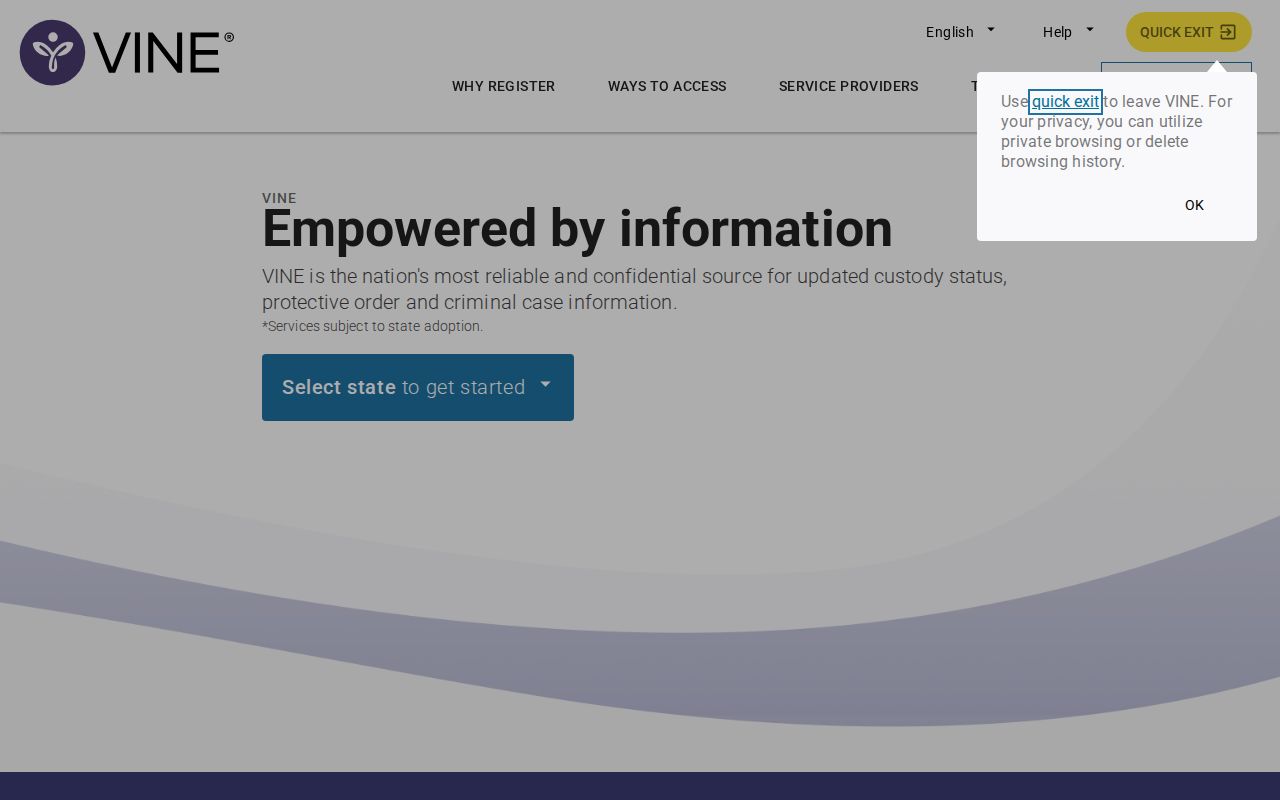
The screen is a starting point for a person-specific event check, not a certified Unicoi County release record.
Unicoi County VINE Result Fields
Labels vary by participating agency, so the useful question is what each displayed item can establish. VINE generally uses a name or offender ID and may state the current custody location or status plus the most recent event. It should be read as a live notice record. It does not replace the Sheriff booking-and-release sheet, a court disposition, or TDOC release authorization.
| Field | What it can show | What to verify |
|---|---|---|
| Name and ID | The identity attached to that agency entry | Match the ID and lawful date details, not the name alone |
| Source agency | The jail or corrections system sending the event | Check whether it is Unicoi County or TDOC |
| Custody status | The source's posted current state | Ask whether another hold or transfer followed |
| Location | The facility or agency named in the feed | Confirm a recent move with that custodian |
| Most recent event | A reported release, transfer, escape, or other offered change | Obtain the source transaction for durable proof |
A VINE event also does not settle the court outcome. A court dismissal, bond order, or sentence can explain why a custody change was authorized, while the jail record supplies the physical release time. Each source answers a distinct question.
Set Unicoi County Release Alerts
Registration attaches a future notice to the selected person and agency entry. First make the identity match. Then choose the custody events offered for that record, including release where available, and select a contact method. Tennessee identifies phone, text, email, and app channels, though the current screen controls which choices appear for a given record.
- Open the matched record and select Notify Me or Get Notified, as displayed.
- Choose the release, transfer, or other offered custody event that matters.
- Select phone, email, text, or TTY when that channel is offered.
- Enter the contact destination and review it for errors.
- For a phone registration, create the requested four-digit PIN and keep it private.
- For text or email, complete the displayed code or link confirmation.
- Review the agency and event, confirm registration, and retain the confirmation.
The four-digit phone PIN acknowledges calls and helps manage the registration. It is not the inmate's offender number. Never publish it or put it into a public record request. An unconfirmed email or text method may not deliver, so the final review and confirmation screen are part of the registration, not an optional last step.
TDOC lists VINE system help at Victim Services and gives 888-868-4631 as a round-the-clock help number. That support line can help with the notification system, but it cannot turn an alert into a certified Unicoi County release record.
Duplicate Unicoi County VINE Records
Duplicate results can be meaningful. One entry may come from Unicoi Jail (M) or Unicoi Annex (F), while another comes from TDOC after transfer or sentence processing. Registering only on the TDOC entry may miss a later county event. Registering only on the county entry may miss a later state-prison event. Compare custodians, IDs, and event dates, then register on each relevant record when the interface permits it.
This distinction also protects against a false timeline. If the Sheriff event says transfer and the TDOC record later says incarcerated, the two entries may be consistent. If the county event says bond release and no other hold appears, the Sheriff release sheet and court bond order are the best durable pair. Keep the agency name beside every saved alert.
Unicoi County Alerts Start Forward
A new VINE registration is prospective. It watches for a future event after the registration takes effect. It cannot reconstruct a past Unicoi County release time, supply a missing release reason, or prove which hold controlled a prior transfer. Even if the person already shows released, subscribing later does not create a retroactive notice for that event.
For a past county episode, ask the Unicoi County Sheriff's Department for the booking-and-release sheet, including date, time, authority, type, destination, and hold disposition. For a former state prisoner, use the TDOC FOIL information page and the archived-record route when a formal release or discharge record is needed. A discharge means the active sentence or supervision ended; it is different from a release to parole.
Note: Save the registration date because an alert created today cannot prove the details of an Unicoi County release that happened earlier.
VINE and FOIL in Unicoi
Tennessee places the VINE route directly on the TDOC FOIL page. The pairing matters in Unicoi County because the official Sheriff page did not show a public recent-release feed when the research was completed. VINE supplies timely custody-event notices. FOIL is the more durable public state-offender index for current and former felony offenders. Neither one is the Sheriff's own release transaction for a local booking.
Use VINE when the task is to follow one person and receive a future custody alert. Use FOIL to read a state status such as incarcerated, parole, probation, or inactive, along with available location, sentence, hearing, and release information. Use the Sheriff for the exact departure from either local jail. That division of work keeps a Unicoi County release event tied to the office that created it.
TDOC's VINE announcement documents the state-prison notification layer and its contact channels.
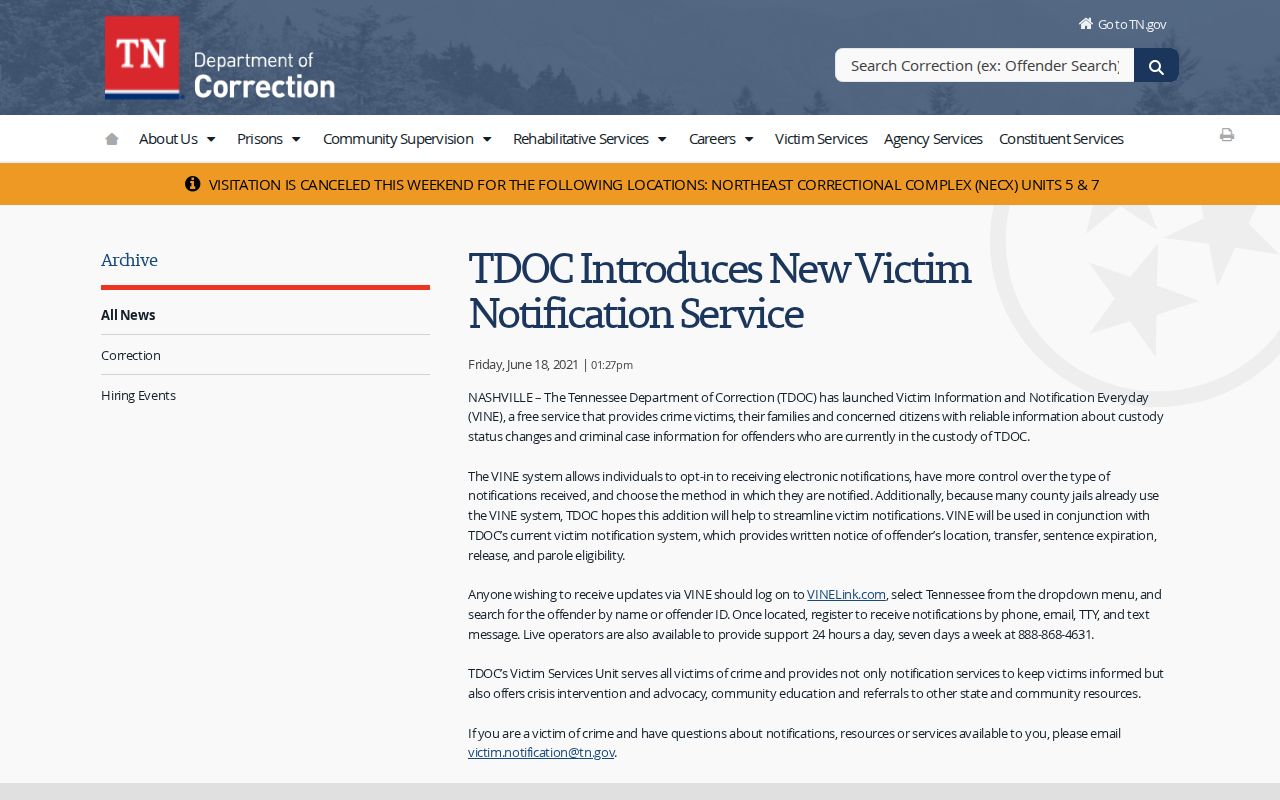
The state notice confirms why a TDOC entry and a county-jail entry may need separate review and registration.
Unicoi County Custody Boundaries
Choose the source by custodian. A person booked at either Unicoi County jail belongs first with the Sheriff. A person serving or formerly serving a Tennessee felony sentence belongs in TDOC FOIL and may also have a VINE entry. A federal sentence belongs in the Bureau of Prisons locator. A person held for the U.S. Marshals Service may not yet have a BOP record. Current immigration detention belongs in ICE's locator, which is not a release-history archive.
| Custody episode | Notification or lookup | Durable record |
|---|---|---|
| Unicoi county jail | VINE when the agency event is available | Sheriff booking-and-release sheet |
| Tennessee state custody | VINE plus FOIL status | TDOC release authorization or archive record |
| Federal custody | BOP locator, not VINE | BOP record and federal docket |
| Immigration custody | ICE locator for current location | ICE or immigration case record |
A federal or immigration result can follow a county exit. It should not be described as a gap in VINE coverage or proof that an alert was wrong. It is a different system and possibly a new custodian.
Confirm an Unicoi County Alert
When an alert arrives, write down the event time, agency, and wording. Reopen the same person record. For an urgent county question, call the Unicoi County Sheriff's Department at 423-743-1864 and ask whether the last event was a community release or a transfer. The public office is at 1570 Jackson Love Highway, Erwin, TN 37650, with listed administrative hours Monday through Friday, 8:30 a.m. to 4:30 p.m. Those hours do not promise that records staff process requests at all times.
Then request the durable source record. A county request should name the person and episode and seek the release date and time, release authority, release type, destination, booking number, and hold disposition. A TDOC question should use FOIL first, then the archived-record request for release authorization or discharge documentation. Keep the VINE alert as a dated clue beside the source record.
Note: A blank or stale screen is weak evidence; agency confirmation and the record created at release provide the soundest Unicoi County answer.